 EN
EN FR
FRMarketing
Marketing cookies help us measure campaigns and show relevant offers across trusted channels.


Enterprise bare metal GPU servers for AI training, LLM inference, rendering, and deep learning. Choose RTX 5090 performance or RTX 4070 Ti SUPER value builds with dedicated CPU, RAM, NVMe storage, and optional AI stack setup.
 NVIDIA RTX
NVIDIA CUDA
TensorFlow
PyTorch
JupyterLab
Docker
Ubuntu 22.04
NVIDIA RTX
NVIDIA CUDA
TensorFlow
PyTorch
JupyterLab
Docker
Ubuntu 22.04
Choose RTX 5090 performance builds for heavier AI workloads or RTX 4070 Ti SUPER value builds for efficient CUDA acceleration. Intel RTX 4070 Ti inventory is currently out of stock.
 INTEL PLATFORM
INTEL PLATFORM
INTEL PLATFORM
 AMD Version
OUT OF STOCK
AMD PLATFORM
AMD Version
OUT OF STOCK
AMD PLATFORM
 Intel Version - OOS
ORDER NOW
AMD PLATFORM
MORE CORES
Intel Version - OOS
ORDER NOW
AMD PLATFORM
MORE CORES
Every hardware and infrastructure decision is optimised for AI, LLM training, and inference throughput.
Choose RTX 5090 performance builds or RTX 4070 Ti SUPER value builds, each with dedicated NVIDIA acceleration for AI, rendering, inference, and CUDA workloads.
Dedicated RTX hardware accelerates model training, inference, rendering, and parallel compute without shared cloud GPU contention.
High-capacity system memory keeps your data pipeline moving and helps large datasets, preprocessing jobs, and application services run beside GPU workloads.
Fast NVMe storage keeps datasets, checkpoints, model weights, and render assets close to the GPU with fewer I/O bottlenecks.
Pre-configured Ubuntu 22.04 LTS with NVIDIA drivers, CUDA, cuDNN, TensorFlow, PyTorch, JAX, JupyterLab, Docker, and the NVIDIA Container Toolkit - start immediately.
100% dedicated resources - no hypervisor, no shared hosts. Choose AMD Ryzen 9950X, AMD Ryzen 9 3950X, or Intel platform availability. All cores, GPU, RAM, and storage are yours exclusively.
A practical view of the GPU, memory, storage, and network capacity available across the current UnderHost GPU lineup.
UnderHost GPU servers are built for customers who need predictable bare metal performance, direct root access, and RTX acceleration without shared cloud GPU contention or surprise egress billing.
Pick the GPU tier that fits your workload, from value CUDA acceleration to higher-end RTX 5090 performance.
No shared GPU scheduler. Your selected GPU, CPU, RAM, and NVMe storage stay assigned to your server.
NVMe storage keeps checkpoints, datasets, and model weights close to the compute layer.
Hardware is selected and assembled for sustained GPU workloads in a managed datacenter environment.
Full root access and dedicated hardware make the platform easier to tune, secure, and troubleshoot.
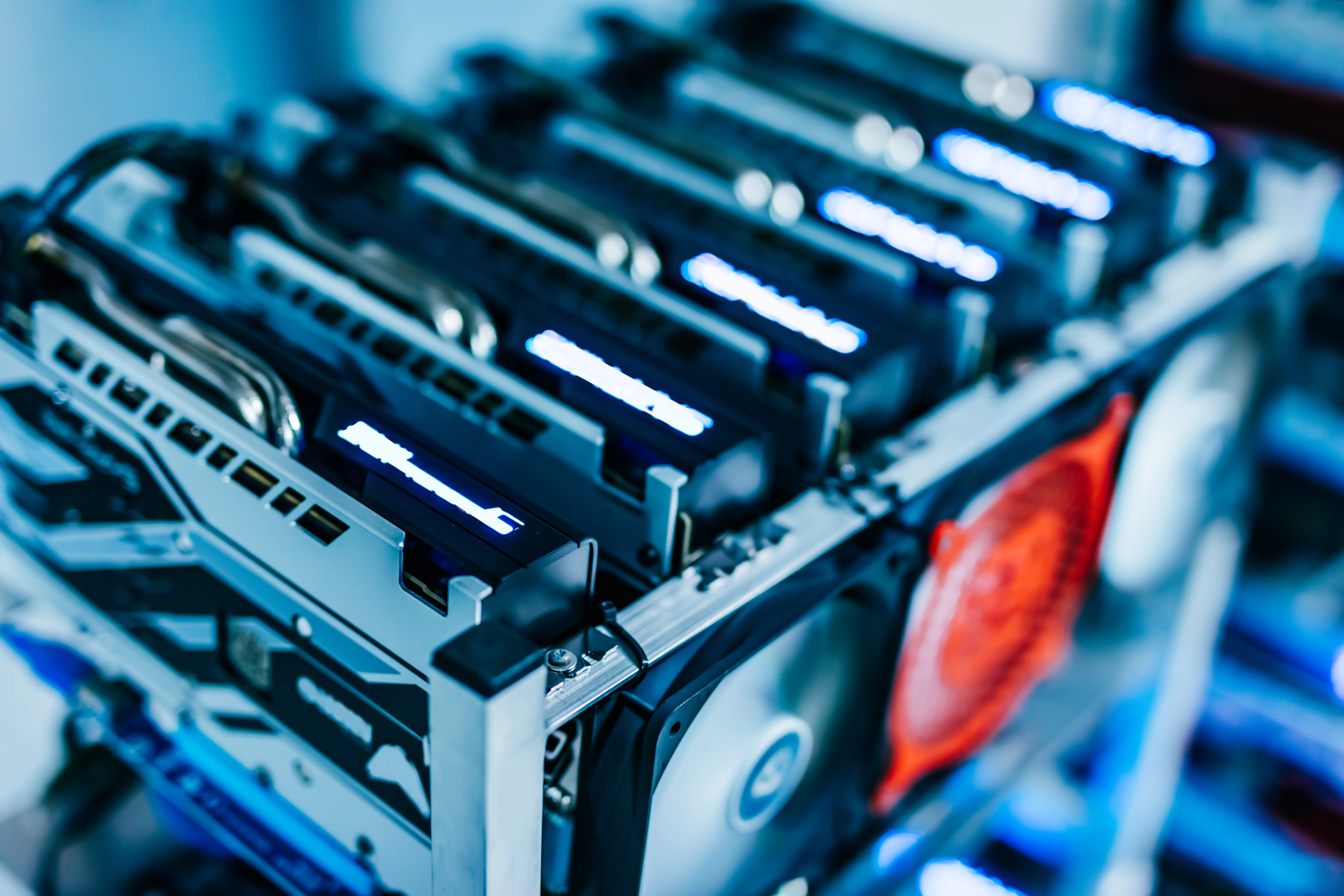
Run CUDA-ready workloads on dedicated NVIDIA GPU hardware, from RTX 5090 performance builds to Tesla T4 inference servers.
Every server ships with a complete AI/ML stack - no setup overhead, no dependency hell. Open your JupyterLab and start training within minutes.
Long-term support base OS - stable, secure, and the recommended platform for NVIDIA GPU drivers and CUDA on bare metal.
NVIDIA CUDA Toolkit + cuDNN pre-installed - the foundation for all GPU-accelerated compute on NVIDIA hardware.
Google's open-source ML framework - pre-configured with GPU support, CUDA acceleration, and cuDNN for deep learning pipelines.
Meta's dynamic ML framework. Pre-installed with GPU support - the leading choice for LLM development, research, and production inference.
Google's NumPy-compatible framework optimised for high-performance numerical computing and automatic differentiation.
Interactive browser-based IDE for data science and ML experiments - installed and ready with GPU kernel support.
NVIDIA Container Toolkit enables GPU-accelerated Docker containers - isolate workloads, reproduce environments.
Pre-loaded with common Python data science ecosystem: NumPy, Pandas, Scikit-learn, Matplotlib, HuggingFace Transformers.
Train or fine-tune large language models. 32GB VRAM fits 7B–13B parameter models in full FP16 precision.
CNNs, RNNs, Transformers, GANs - any architecture benefits from dedicated CUDA + Tensor Cores.
Deploy models with low-latency GPU inference. Run multiple API endpoints simultaneously.
Ray tracing with 66 dedicated RT cores. Scientific visualization, architectural rendering.
High-throughput Monte Carlo simulations and quantitative analysis on dedicated hardware.
NVENC/NVDEC hardware acceleration for real-time video transcoding and processing pipelines.
Compare our dedicated GPU servers against major cloud GPU instances. Same or better performance at a fraction of the cost.
 UnderHost
 AWS G5
 Azure NCv3
 GCP N1
Flat monthly rate. No per-hour billing surprises. No egress fees. 100% dedicated hardware.
We can build GPU servers with different models, higher RAM, additional GPUs, or custom storage configurations. Whether you need an H100, A100, or a multi-GPU cluster - we can design the right solution.
Provide your specs - GPU model, RAM, storage, bandwidth requirements - and we will quote within 24 hours.
REQUEST CUSTOM GPU SERVEREverything you need to know about GPU dedicated server hosting for AI and ML workloads.
Every server ships with Ubuntu 22.04 LTS, NVIDIA drivers, CUDA Toolkit, cuDNN, TensorFlow, PyTorch, JAX, Keras, JupyterLab, Docker, and the NVIDIA Container Toolkit - all pre-configured and GPU-enabled. Additional frameworks installed on request.
Yes. Configure multiple user accounts and run concurrent training jobs. We recommend Docker containers or Slurm for resource isolation between projects or team members. Both are supported on our Ubuntu base.
Performance depends on the selected plan. RTX 5090 builds target heavier AI, rendering, and inference workloads, while RTX 4070 Ti SUPER builds provide strong CUDA acceleration at a lower monthly rate. Typical AI workloads can see 10-50x speedup over CPU-only systems.
Bandwidth depends on the selected plan. The RTX 5090 build includes a 1Gbps port with 50TB bandwidth. RTX 4070 Ti SUPER builds include 1Gbps bandwidth with upgrade options available. No cloud-style egress surprise.
Standard Intel and AMD configurations are typically online within 24 hours of payment. Custom GPU builds may take 2–3 business days depending on hardware availability.
These are 100% bare metal dedicated servers - no virtualization, no noisy neighbors. Your selected GPU, CPU cores, RAM, and NVMe storage are exclusively yours.
Yes. We can source different GPU models, additional GPUs, higher RAM, custom CPU options, and more. Submit a ticket with your requirements and we respond within 24 hours.
Our support team is available 24/7 to help you choose and deploy the right GPU dedicated server for your AI and ML workloads.
Contact SupportRTX 5090 or RTX 4070 Ti SUPER. Dedicated bare metal hardware. Optional AI stack setup. Flat monthly rate with no cloud billing surprises.


















