
cPInstall Legacy Archive
About cPInstall
Originally built for UnderHost customers, cPInstall was a lightweight bash script that automated the installation, hardening, and optimization of cPanel & popular plugins. Designed for both novices and sysadmins, it simplified server setup dramatically.
The project has evolved into an internal cPanel plugin, and parts will be open-sourced later under GPL. Meanwhile, the bash script remains as a legacy snapshot.
Status & Modern Path
Discontinued since 2020+ — No active development, security patches, or support.
We've shifted focus to next‑gen automation. If you're looking for fresh, cPanel‑free server management:
Modern replacement without cPanel dependencies.
github.com/UnderHost/one-domain
Visit UnderHost.com for offshore hosting & advanced solutions.
Legacy Feature Set historical reference
At its peak, cPInstall provided a wide range of automation tasks — many now superseded, but preserved below for archival context:
- Install cPanel (no issues)
- cPanel DNS Only mode
- Force cPanel update
- CloudLinux Network registration
- Install CloudLinux OS
- CSF Firewall + Brute Force Detection
- htop process viewer
- Change SSH port
- Secure /tmp partition
- Disable/Enable compilers
- Fantastico & Softaculous plugins
- Clean Backup plugin
- Account DNS Check
- cPnginx Admin (install/remove)
- Ruby on Rails + FFMPEG
- WHMSonic Plugin
- Process Resource Monitor
- System Integrity Monitor
- LiteSpeed Plugin & much more...
- Over 30+ automation routines
The script also featured logview, brute‑force detection, and Virtuozzo /tmp hardening — truly ahead of its time.
Vintage interface snapshot
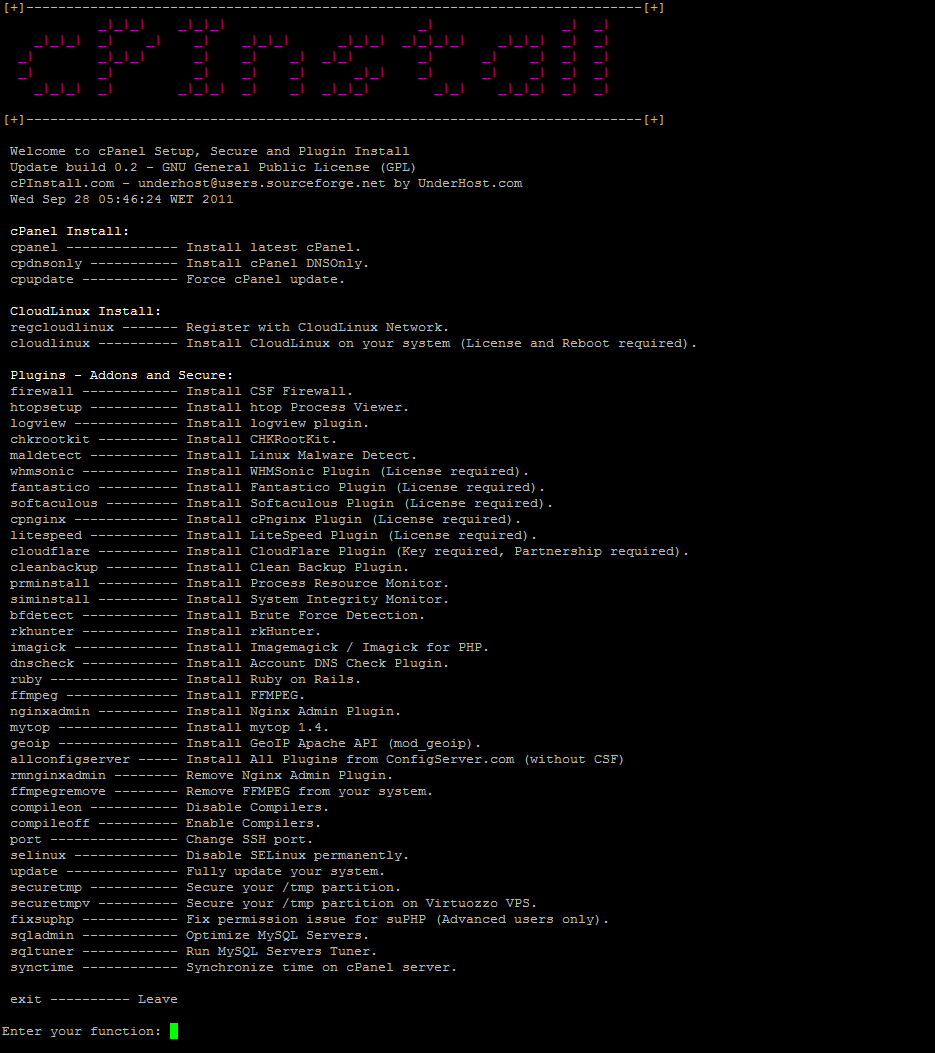
Classic interactive menu — nostalgic for early cPanel automation days