cPInstall – The Legacy cPanel Automation Script
About cPInstall
cPInstall is a small bash script initially created for UnderHost customers and later released to the public. Its purpose was to provide a one-click solution for installing, optimizing, and securing common cPanel plugins. Although useful for novices and helpful for advanced users, this project has been discontinued.
This script is no longer maintained and may contain outdated components. For updated solutions, check out our newer projects below.
Project Status
The product has been moved to a cPanel internal plugin, which we believe might not be as useful today. However, we will still release the cPanel plugin to the public once the code is wrapped up and our branding is removed, adopting the GPL license instead. This bash script will remain available, but some features may be potentially out of date.
Looking for an Alternative?
Check out our newer version without cPanel: One-Domain Installer.
Visit our website at UnderHost for offshore hosting solutions.
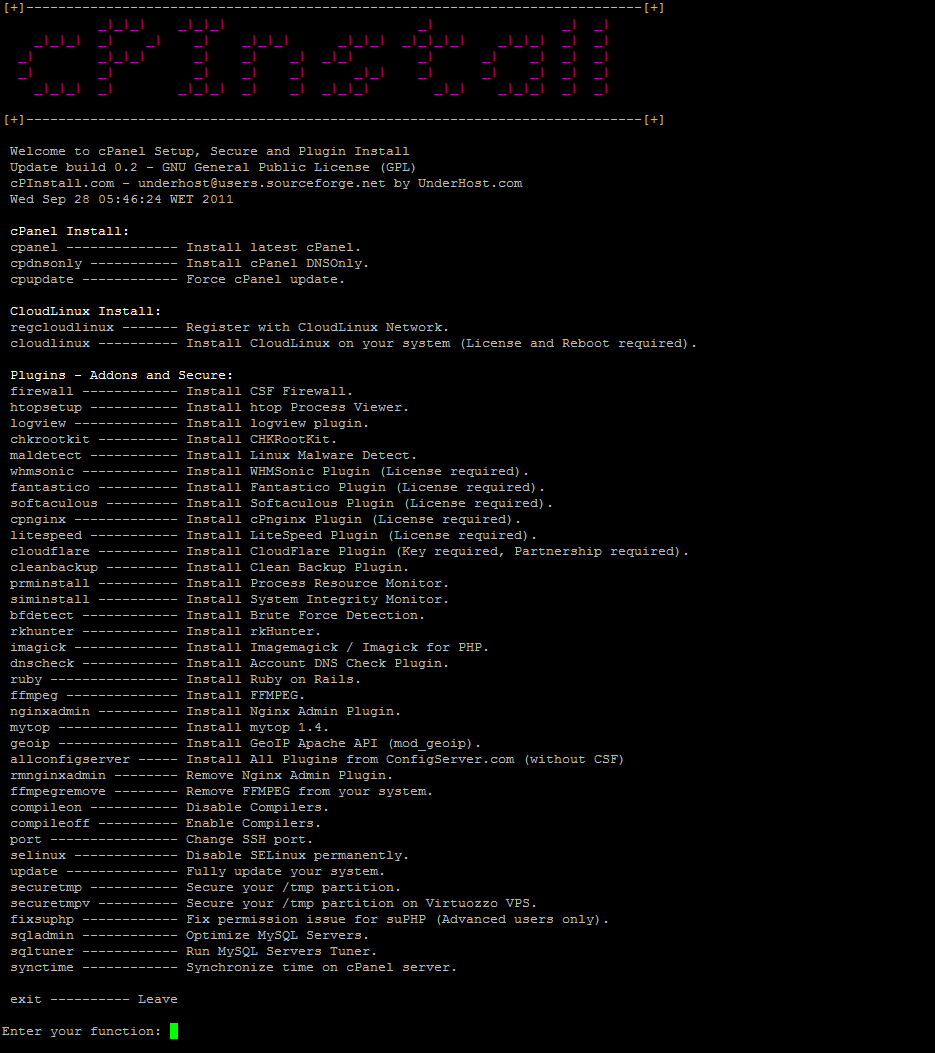
Features (Potentially Outdated)
- Install cPanel without issue.
- Install cPanel DNS Only.
- Force cPanel update.
- Register with CloudLinux Network.
- Install CloudLinux on your system.
- Install CSF Firewall.
- Install htop Process Viewer.
- Install logview plugin.
- Change SSH port.
- Fully update your system.
- Secure your /tmp partition.
- Secure your /tmp partition on Virtuozzo VPS.
- Install Brute Force Detection.
- Disable Compilers.
- Enable Compilers.
- Install Fantastico Plugin.
- Install Softaculous Plugin.
- Install Clean Backup Plugin.
- Install Account DNS Check Plugin.
- Install cPnginx Admin Plugin.
- Remove cPnginx Admin Plugin.
- Install Ruby on Rails.
- Install FFMPEG.
- Install WHMSonic Plugin.
- Install Process Resource Monitor.
- Install System Integrity Monitor.
- Install LiteSpeed Plugin.
- And much more... much much more...
Old Screenshot